Auto captions you can fix word by word
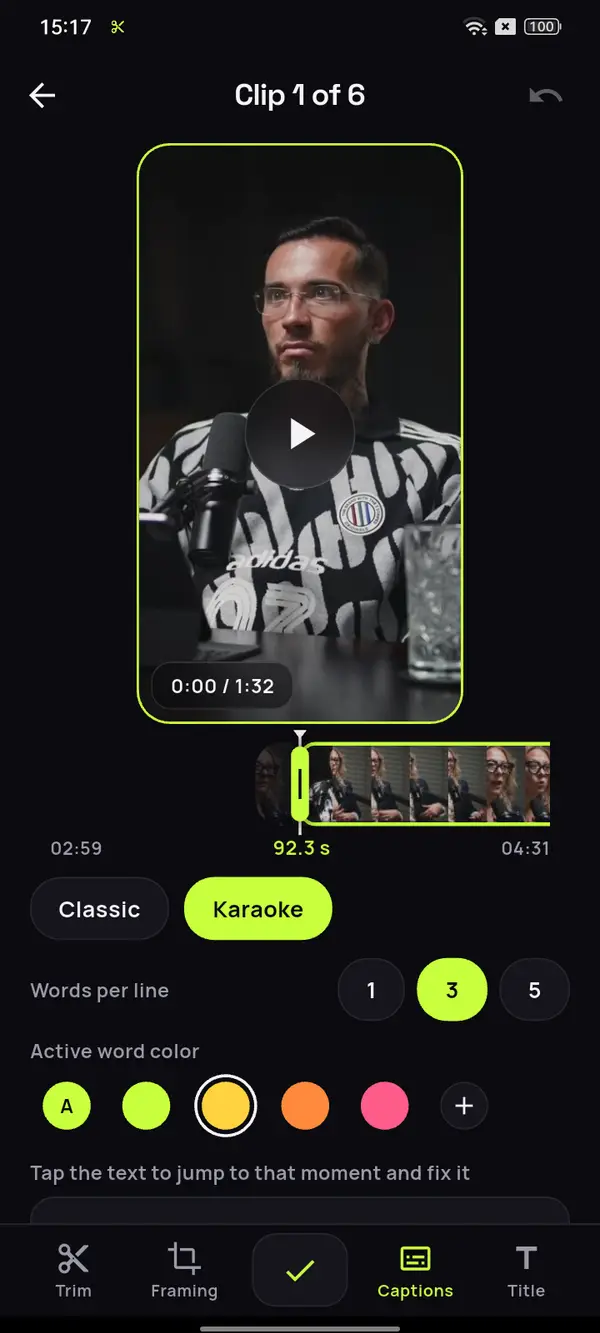
Every clip comes out with its captions already on and synced word by word, right on your Android phone. Choose the style, how many words per line and the color of the spoken word, and fix whatever you need offline. Your videos stay yours.
- 30 free min a month
- No sign-up
- Captions in 6 languages

Not everyone has the sound on.
What they can read, they get.
Understood in silence
Whoever watches the clip with the phone on mute follows the whole sentence, and whoever hears it reads along.
The spoken word, highlighted
The active word changes color in time with the voice. Choose that color or keep the template's.
Fixing is tap and type
If a word comes out wrong, you tap it in the editor and change it, offline and without redoing the clip.
A conversation of almost an hour and a half.
Every sentence, spelled right.
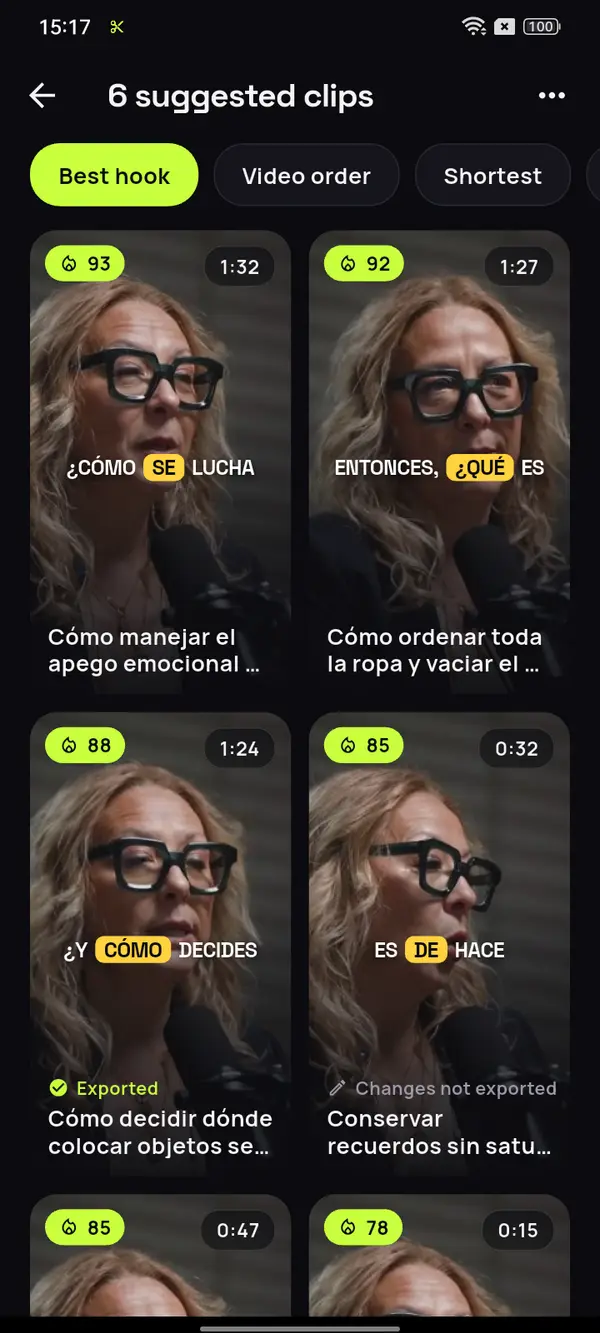
A recorded conversation turns into short snippets with every word already written and synced. This one is in Spanish; in English, German, French, Italian or Portuguese it works just the same.









12 clips ready to review
- Analyzing your video
- Picking the moments with a hook
- Getting your clips ready
Its place, and back to its place
What we don't see, we don't use
How you'll want to find it
Excuse number one
Video: “Experta en Orden”, by Zoom Out Podcast, licensed under CC BY 3.0. Trimmed, reframed, captioned and translated. Zoom Out Podcast is not affiliated with ClipMix. Illustrative example with real moments from the original video.
From your video to captioned clips
in three steps.
Open your video
If you speak one of the six languages, ClipMix detects it automatically.

Choose the style
Classic or Karaoke template, lines of one, three or five words and a color to highlight.
Review and export
Fix any words you need in the editor and save each clip to your gallery.
How many words per line?
It depends on the clip’s pace. With a single word, the text jumps in time with the voice and grabs attention in short, energetic clips. With three, a short phrase reads at a glance, which is the most comfortable choice for almost everything. With five, there’s room for more context, and it suits calm explanations.
If in doubt, try three and change only the clips that call for it. You’ll find the rest of the tips, from font to contrast, in the guide on how to add subtitles on Android. In a conversation between two people, like your podcast clips, it helps if the active word is in a color that contrasts with the background. And in an explanation full of technical terms, like clips from your webinars and talks, check names and acronyms before exporting.
Words per line by type of clip
Two styles,
three line lengths.
- Two templates, Classic and Karaoke, with the spoken word highlighted in the color you choose.
- One word per line for fast-paced clips, three for easy reading and five for longer explanations.
- Outside 9:16 the text adapts to the format, so it reads just as well in 1:1, 4:5 or 16:9 when you take a video from horizontal to vertical.
- The captions are part of the picture, so they look the same on any platform without uploading a separate file.
Six languages, detected automatically: English, Spanish, Portuguese, French, German and Italian.
Do I have to tell it which language I speak?
No. ClipMix detects the language of each video on its own: English, Spanish, Portuguese, French, German or Italian.
Can I change the color of the active word?
Yes. Choose one of the app's colors or your own; if you don't pick one, the template's is used.
Can I show just one word per line?
Yes. In both templates you can choose one, three or five words on screen at a time.
How do I fix a misspelled word?
In the clip editor you tap the word and type it correctly. It works offline and the change shows up in the video you export.
Are the captions burned into the video?
Yes. They become part of the picture when you export, so they look the same on TikTok, Reels, Shorts or WhatsApp. If you post on YouTube, see how to turn your videos into Shorts.
Do you publish or sell my videos?
No. Your videos are yours alone: we never publish them or sell them, and every captioned clip goes to your gallery for you to post. All the details are in our privacy policy.
Do captions cost extra?
No, they're included, with 30 free minutes a month. Free clips are exported after an ad and carry a watermark; with a plan or pack, none do. Pricing and plans.
Your next clip
already comes with captions.
Put ClipMix's captions to the test with any video you have on hand, with 30 free minutes a month.
Get it free