Turn your long videos into TikTok clips
A long video, even the one you already posted on YouTube, doesn't fit TikTok's pace in one piece, but its best moments do. ClipMix splits them out one by one, without breaking a single sentence, and hands them to you in 9:16 with the text already on, so you can post today. Your videos stay yours.
- 30 free min a month
- No sign-up
- Captions in 6 languages
On TikTok, everything is decided in a second.
Give them a moment that stands on its own.
One video, many ways in
Each clip is another chance for someone new to find you in the feed, without filming anything else.
The hook, on top and in view
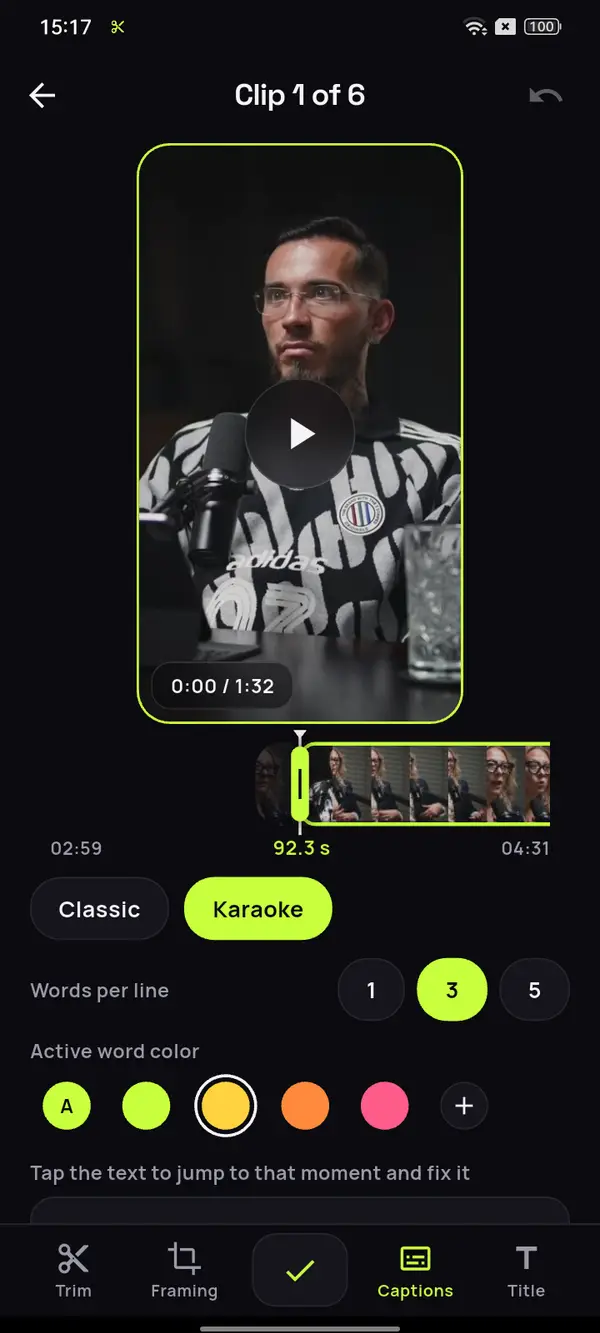
Write a title that shows at the top for the first few seconds and drag it where nothing covers it. Below it go captions you can fix.
Clear of the buttons
What matters in the clip has to stay away from the buttons and the post text. Check the framing in the preview before exporting.
A podcast of almost an hour and a half.
The best of it, in TikTok-sized pieces.
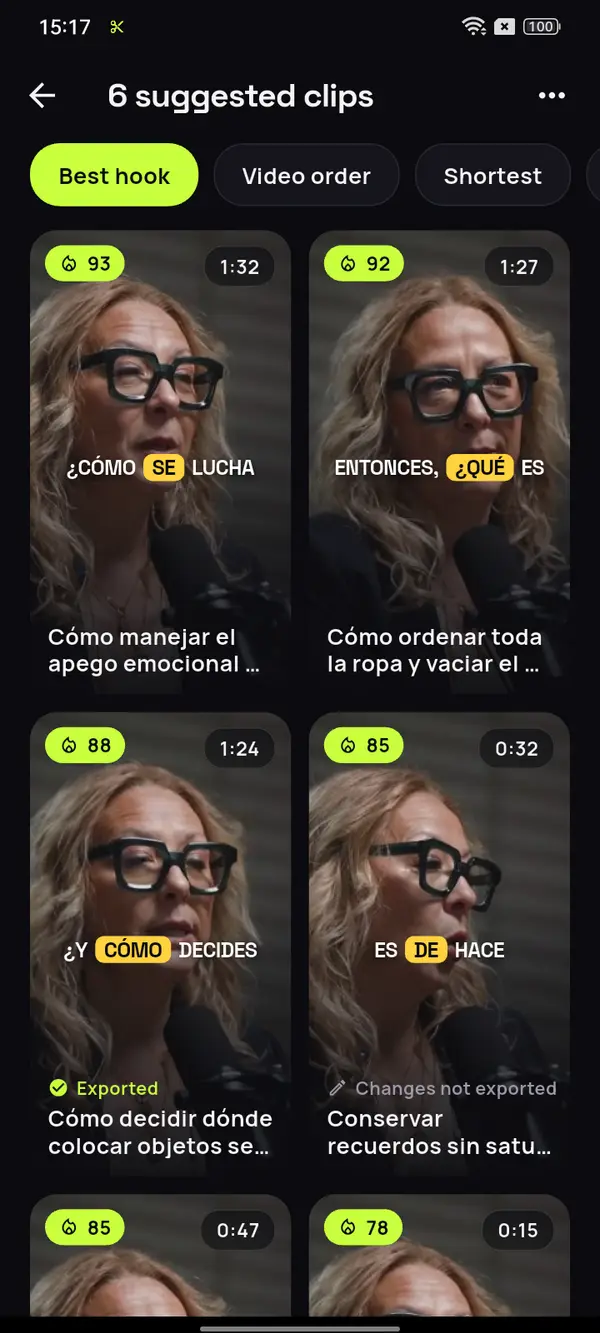
Pick a long recording and ClipMix separates the moments that work on their own in the feed, each with its opening and its ending. This one is a Spanish-language podcast, captioned automatically.









12 clips ready to review
- Analyzing your video
- Picking the moments with a hook
- Getting your clips ready
The rule that keeps things tidy
Do you wear just 30% of your clothes?
Ditch the dry-cleaner hangers
A trick for smarter shopping
Video: “Experta en Orden”, by Zoom Out Podcast, licensed under CC BY 3.0. Trimmed, reframed, captioned and translated. Zoom Out Podcast is not affiliated with ClipMix. Illustrative example with real moments from the original video.
From your long video to TikTok
in three steps.
Pick the recording
A livestream, a tutorial or a talk, just as it is in your phone's gallery.
Keep the best ones
Go through the suggestions by hook score and open the one you like most.
Title, captions and off to TikTok
Write the hook, check the captions, export it and share it to TikTok from the app.
Which moments of a long video work on TikTok?
The ones that open with something happening, not a hello: a reaction, a question, a line that hits hard or the start of a story. If understanding the clip means having seen what came before, whoever’s swiping moves on.
ClipMix cuts every suggestion at the end of a sentence and scores it for its hook, so the list comes already sorted for you to start with the strongest. What you decide is the title on top and the order you post them in. If you’re wondering whether to split by time or by idea, we explain it in the guide to splitting a long video for TikTok.
Before you post it to TikTok
- That the first second already hooks.
- That the hook title doesn’t clash with the buttons.
- That the captions read on a small screen.
- That people know where the full video is.
From the clip
to the full video.
- Say in the clip itself where the full video is, with the hook title or at the end of the sentence.
- Don't upload them all at once. There's a page on how to spread your clips across the week so each one gets its day.
- The same clips work as Shorts for your YouTube channel and as Instagram Reels, without rebuilding them.
No promises on views or followers: ClipMix gives you the clips so you can post consistently. Each platform's rules change, so check its help.
Can I paste a YouTube link to get TikTok clips?
ClipMix works from the original file on your phone instead of a link, so your TikToks keep more quality than a copy downloaded from YouTube would give you. Pick the video from your gallery and you're ready.
How long is each TikTok clip?
Each suggestion runs from 10 seconds to 3 minutes, as long as its idea. If you want a shorter one, adjust the start and end in the editor.
Can I post it straight to TikTok?
Yes. From the exported clip you send it straight to TikTok. If you'd rather wait, it's saved in the ClipMix album in your gallery.
Where do I put text so the interface doesn't cover it?
Away from the buttons, the username and the description. That's what TikTok asks for in its TopView ad specifications (checked on October 20, 2026). For your regular videos, it works as a reference.
What if my video was shot horizontally?
ClipMix makes it vertical by following the face in each shot, or shows it whole if no face stands out. See how to go from horizontal to vertical without leaving anyone out.
Does ClipMix post to my TikTok account?
No. Your videos are yours alone: we never publish them or sell them, and only what you upload shows up on your account. All the details are in our privacy policy.
How much does it cost to make TikTok clips?
You get 30 free minutes a month. Free clips are exported after an ad and carry a watermark; with a plan or pack, none do. Pricing and plans.
Your next TikTok
is in a video you already have.
Try ClipMix with your latest livestream or tutorial and fill your TikTok profile this week. 30 free minutes a month.
Get it free