Grow your YouTube channel with Shorts from your best moments
Your videos already have the moments that convince someone to subscribe. ClipMix pulls out every one of them, and you decide which to post and on which day, so each Short sends whoever watches it straight to your full video.
- 30 free min a month
- No sign-up
- Captions in 6 languages
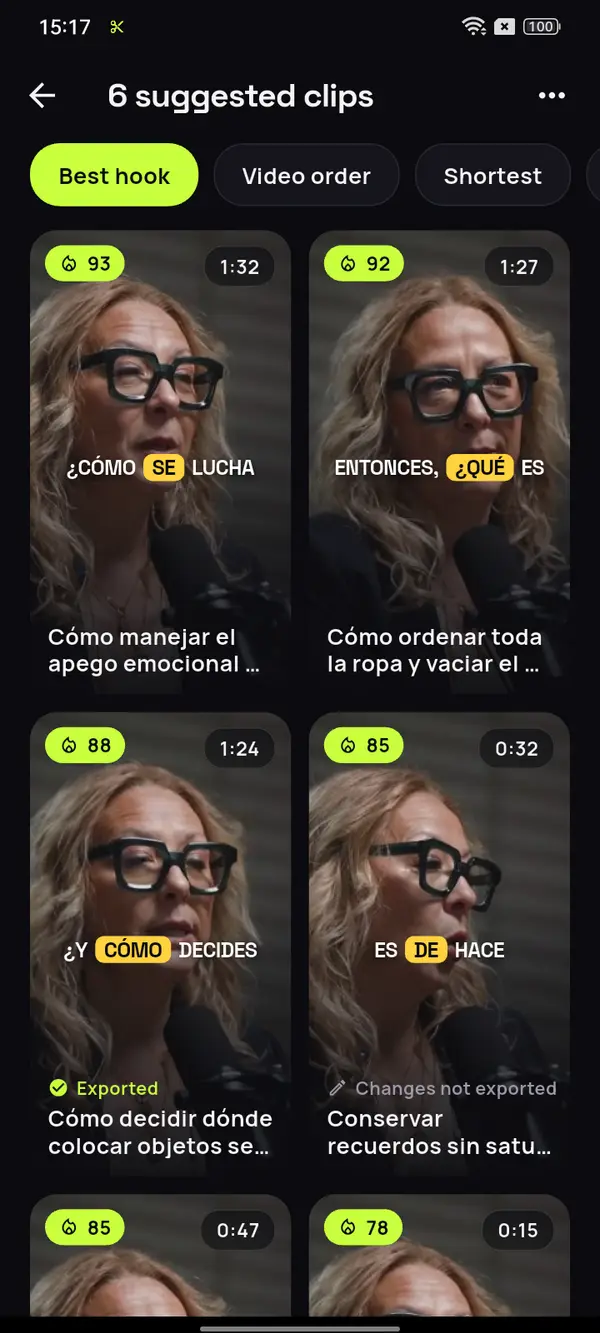
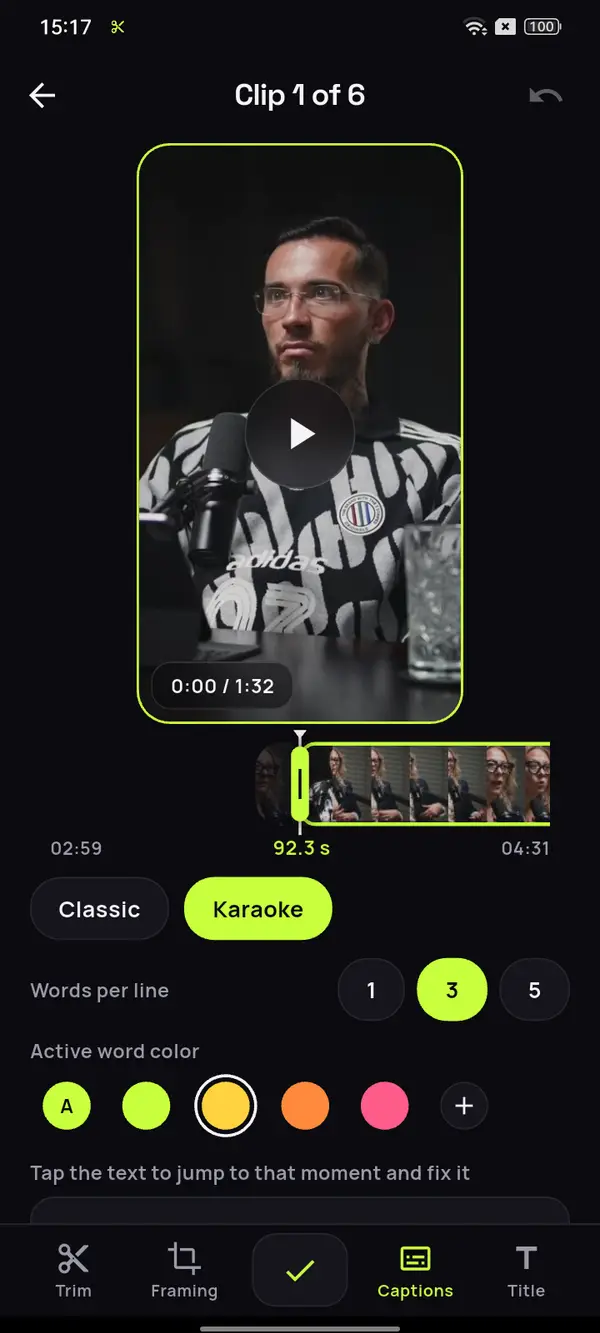

Lots of people don't know you exist yet.
One great moment tells them why to subscribe.
A taste of your best
Someone who doesn't know you won't start with an hour-long video. A 40-second Short shows them your style in the time it takes to swipe.
A way back to your video
On YouTube, link each Short to its long video as a related video, the link people can actually tap. Off YouTube, say it in the clip itself and in your profile.
Consistency without filming more
One recorded video makes plenty of posts. Keep your rhythm all week with what you already have.
An 85-minute episode, in Spanish.
Plenty of reasons to subscribe.
Pick a video from your channel and ClipMix pulls out the moments that show who you are and what your channel is about, each one complete, so whoever sees it wants more.










12 clips ready to review
- Analyzing your video
- Picking the moments with a hook
- Getting your clips ready
Start with your sock drawer
Your home, with what you love
Leave things ready for tomorrow
No time is a choice
Video: “Experta en Orden”, by Zoom Out Podcast, licensed under CC BY 3.0. Trimmed, reframed, captioned and translated. Zoom Out Podcast is not affiliated with ClipMix. Illustrative example with real moments from the original video.
From one video to a week of Shorts
in three steps.
Pick your best video
The one that represents you best, in the original file on your phone.

Start with the hook
ClipMix suggests every moment worth posting; the highest-scoring ones come first.
Spread them over the week
Give them your look offline, save them to your gallery and post one a day.
How do you spread the clips from one video?
Posting every clip on the same day makes them compete with each other. It’s better to spread them out: the one with the strongest hook on the day the long video goes live, and the rest one a day or every other day, while the video is still fresh. That way each Short gets its own moment to reach people who don’t follow you yet. We break it down day by day in the guide on how often to post Shorts.
Save the moments that need a bit of context for last, and open with the ones that stand on their own. And if your channel is a video podcast, see which parts work as clips for your podcast.
Before you post, check
- That the first second already says what it’s about.
- That the idea makes sense without the rest.
- That the captions read well on a small screen.
- That newcomers know where the full video is.
One video,
a week of Shorts.
- Post several moments from the same video on different days. Each one reaches different people, and they all lead to the same place.
- Open with the clip that has the strongest hook, and save for later the ones that ask viewers to know you a little.
- Pin a comment that says where the full video is, for anyone arriving from a clip.
- If you teach or host webinars, every explanation can be a clip: see how to make clips from webinars and talks.
- On YouTube, start by turning long videos into Shorts, then reuse those same clips as TikTok clips or as Instagram Reels.
No promises on subscribers or income: ClipMix gives you more pieces to post from what you've already filmed. Results depend on your content and on each platform.
Can Shorts really grow my YouTube channel?
They're built for it. YouTube shows Shorts to people who don't follow you yet, and each one can point to your long video as a related video. The more strong moments you post, the more chances you have to be found.
How many clips should I post from each video?
As many as make sense on their own. ClipMix suggests every moment in each video, with no fixed number, and you choose which ones to upload and in what order.
Can I link my video from a Short's description?
You can write it, but links in a Short's description and comments aren't clickable, according to YouTube's help on links (checked on October 20, 2026). The one that works is the related video, which you pick in YouTube Studio.
Which moments win new subscribers?
The ones that make sense without knowing you: a clear opinion, a story with an ending or a tip people can use right away. ClipMix ranks them by hook so you start with those.
Does it work if my channel is small or just starting out?
Yes. All you need is videos with moments worth watching on their own. With a small channel, every Short is one more chance to be found.
Can I give the captions my own style?
Yes. Pick a template and a color for the spoken word, and use them on all your clips so people recognize you as they swipe. See the caption styles.
Are my videos used for anything besides my clips?
No. Your videos are yours alone: we never publish them or sell them. You upload each clip to your channel yourself, when you decide. All the details are in our privacy policy.
How much does it cost, and is there a watermark?
You start with 30 free minutes a month. Free clips are exported after an ad and carry a watermark; with a plan or pack, none do. Plans and prices.
Your next video
has Shorts to spare.
Download ClipMix and spread the best moments of your latest video across the week. 30 free minutes a month.
Get it free